

What you'll learn
- The real difference between Claude and Claude Code (and between Claude Cowork and Claude Code, if that is what you searched for)
- Who each one is for and what each is good at, with a simple side-by-side table
- How to pick the right one for your next job, and try it in under ten minutes
Claude vs Claude Code is one of the most common questions from people starting out with Anthropic's tools, and the names do not help. Both use the same Claude models. Both can take on a task and work through it on their own. The difference is the job. Claude (which now includes what used to be Claude Cowork) is built for everyday work: documents, research, spreadsheets, slides and your other apps. Claude Code is built for writing and changing software. This guide explains both honestly, so you can choose with confidence.
What you need
- A Claude account. Claude itself has a Free plan. Handing off tasks and Claude Code both need a paid plan (Pro, Max, Ultra, Team or Enterprise). Check current prices on Claude's pricing page.
- One task you want help with this week. You will use it to decide.
- About 10 minutes.
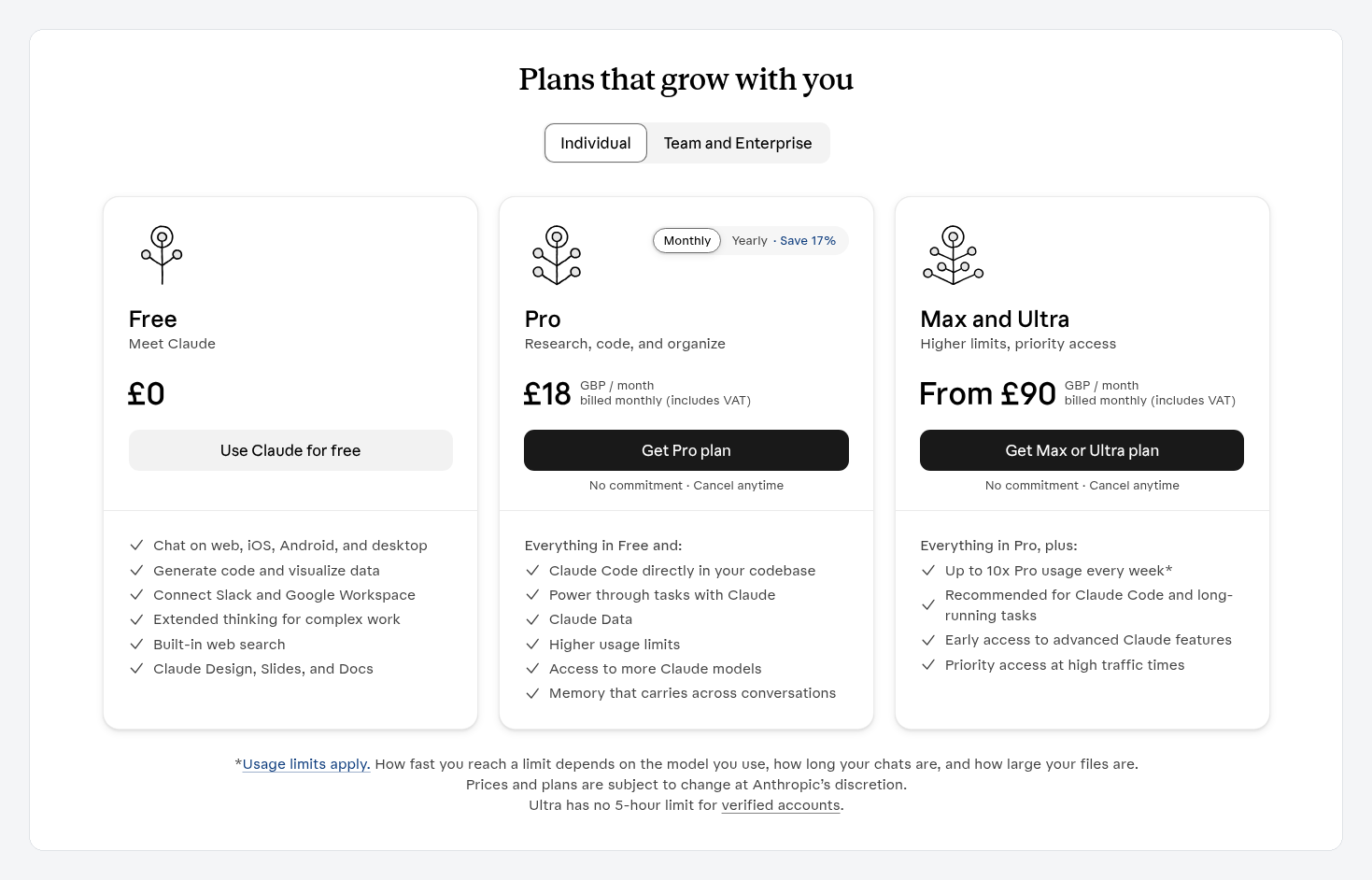
Claude's plans page, opened from the Code option on a Free account. Claude Code starts with Pro. Prices here are shown in pounds for a UK account and may change.
First, a quick word on Claude Cowork
If you searched "Claude Cowork vs Claude Code", here is the short answer. Claude Cowork was the part of the Claude app for handing off bigger jobs. Since 16 September 2026, Anthropic has been merging Cowork into normal Claude conversations, so everything Cowork did is now available from any chat. When this guide says "Claude", it includes everything Cowork used to do. For the full story, read Where did Claude Cowork go?.
The core idea: same brain, different workshop
Think of the Claude models as a very capable colleague. Claude and Claude Code are two different workshops that colleague can work in.
- Claude is the office. It has your documents, your connected apps and tools for making reports, spreadsheets, slides and designs. You talk to it in plain English, and it hands back finished files. You never see any code unless you ask.
- Claude Code is the engineering workshop. It works inside a software project, reads the code, makes changes, runs tests and can prepare those changes for review. Anthropic describes it as a tool for handing over "a bug fix, test, or multi-day migration". You can use it from a terminal (a text window for typing commands), the Code tab in the Claude desktop app, the web, or a code editor.
A few terms you will meet:
- Agent: an AI that works through a task step by step on its own, checking in when it needs you. Both Claude and Claude Code act as agents.
- Connector: a secure link that lets Claude use another app, like Google Drive, Gmail or Slack.
- Skill: a saved set of instructions that teaches Claude how you like a job done.
- Plugin: a bundle of Skills and connectors. Plugins you add in Claude are saved to your account and also show up in Claude Code when you sign in with the same account. You find Skills, connectors and plugins under Customize in the sidebar, which is called Plugins on some newer accounts.
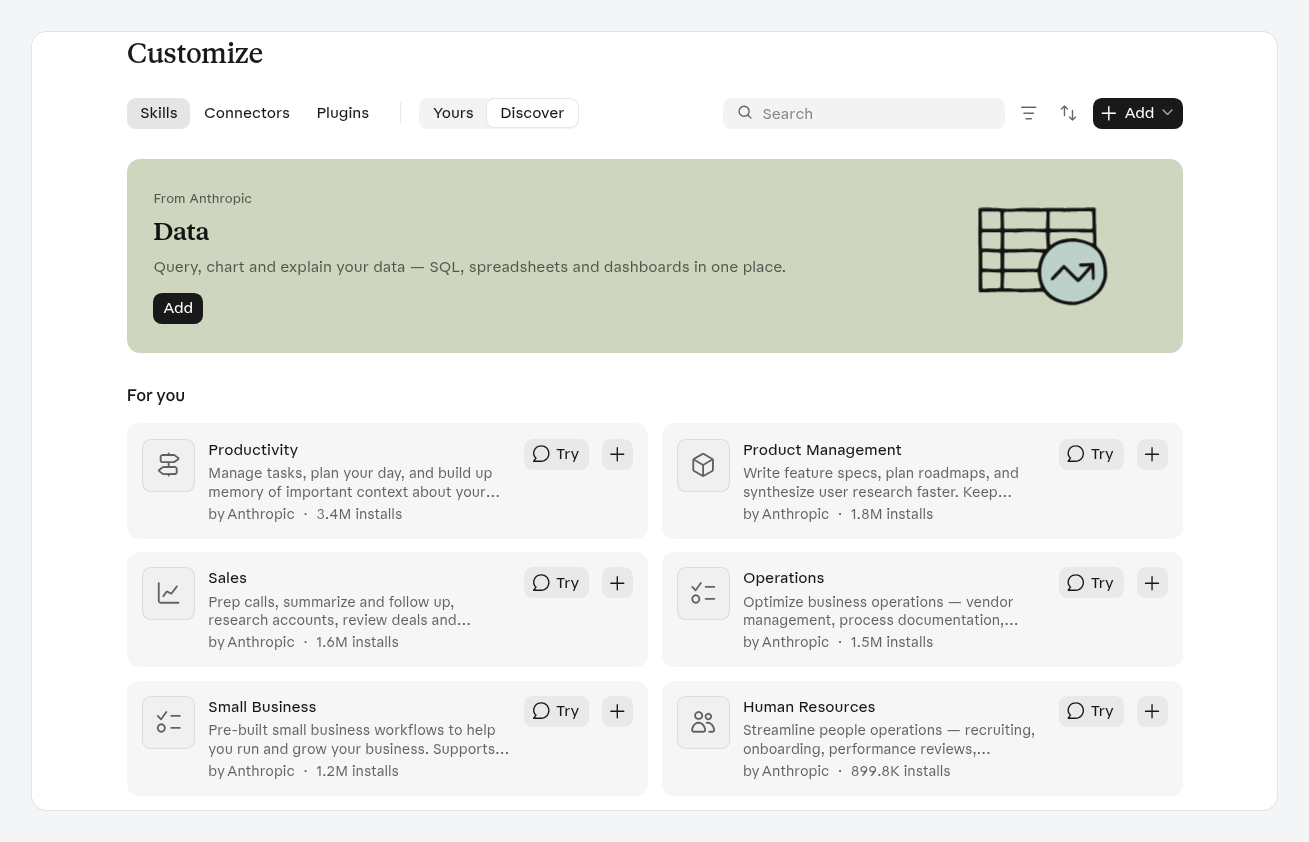
Customize on a Free account, with Skills, Connectors and Plugins on separate tabs.
Claude vs Claude Code at a glance
| Claude (including former Cowork) | Claude Code | |
|---|---|---|
| Best for | Everyday work: reports, research, spreadsheets, slides, email and calendar tasks | Building and changing apps and websites |
| Who it is for | Professionals, small business owners, teams | Developers, and beginners learning to build software |
| Coding needed | None | No experience needed to start, but you will work with code projects |
| Where you use it | Claude on web, desktop and mobile, plus Chrome and Microsoft 365 add-ins | Terminal, the Code tab in Claude Desktop, web, mobile and code editors |
| What you get back | Documents, spreadsheets, decks, summaries | Changes to a code project, ready to review |
| Free plan | Chat, Projects (up to five), Skills, artifacts | Not included |
| Paid plans | Pro and above add task handoff and scheduling | Included with Pro, Max, Ultra, Team and Enterprise |
What Claude is good at
Claude shines when the work is in documents, the web and the apps you already use. Some examples from Anthropic's own help pages:
- "Go through these five interview notes and pull out the top themes, with a quote for each."
- "Turn this analysis into a 10-slide deck I can present on Monday."
- "Every weekday at 8am, summarise new messages in my team's Slack channels."
It can work with files on your computer through the desktop app, browse sites with Claude in Chrome, and run tasks on a schedule (those three need a paid plan). For most people who do not build software, Claude is the whole toolkit.
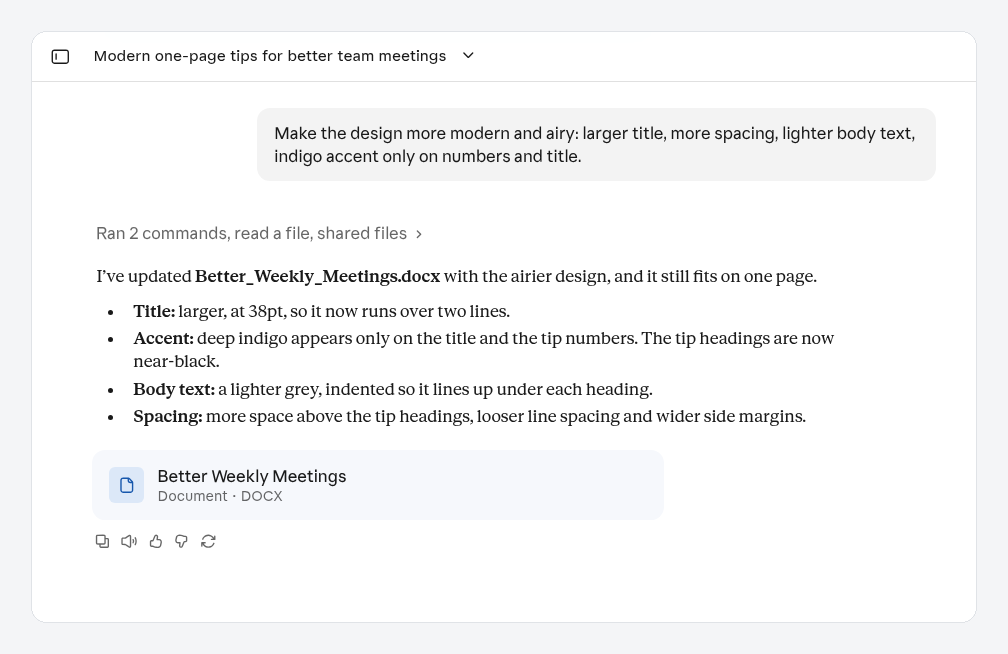
Typical Claude work: a one-page Word document made and restyled from short briefs, with a file card ready to open. This one was made on the Free plan.
What Claude Code is good at
Claude Code shines when the work is software. It can explain an unfamiliar project, fix a bug, add a feature, write tests and keep going on long jobs. It works alongside tools developers already use, like GitHub.
Here is the honest part for beginners: you do not need to be a developer to start with Claude Code, and many people build their first app with it. But you are working on a software project, so you will meet ideas like files, folders, previews and deploying a site. That is a learning curve worth climbing if you want to build apps, and an unnecessary one if you only want help with your work.
How to pick: a three-question test
Run your task through these questions, in order.
- Is the end result a piece of software? An app, a website, a tool other people will open. If yes, use Claude Code.
- Is the end result a document, a decision or an action in an app you use? A report, a deck, a spreadsheet, a summary, a tidy inbox. If yes, use Claude.
- Still unsure? Start with Claude. Ask it to plan the job. If the plan says "build an app", that is your sign to move to Claude Code.
Try it now
Take your task from the start of this guide.
- If it passed question 2, open Claude and describe the outcome, the format you want and the files it needs. For example: "Turn the attached customer survey results into a one-page summary with the top three complaints and a suggested fix for each, as a Word document."
- If it passed question 1, open the Code tab in the Claude desktop app (or Claude Code on the web) and describe what you want built in plain words. Claude Code will plan it and ask you questions before making changes.
- Review what comes back. Your first success is a finished result from the tool that fits the job.
Common mistakes
- Using Claude Code for office work. It can write a report, but Claude does it with less setup and hands you a proper document.
- Using chat to build a whole app. Claude can make small interactive pieces, but for a real app with pages, logins and a database, Claude Code is built for the job.
- Thinking you must choose one forever. Both come with the same paid plan, so many people use both.
- Skipping the review. Whichever you use, check the result before it reaches anyone else. With Claude Code, read the summary of what changed before you accept it.
- Giving more access than needed. Connect only the apps a task needs in Claude, and let Claude Code work in a practice project before a real one.
What's next
- New to Claude? Start with How to use Claude for your first handed-off task.
- Used Cowork before? Where did Claude Cowork go? shows where everything lives now.
- Ready to build? How to get started with Claude Code and How to get started with coding in Claude Desktop cover your first steps, and Buildcamp's Claude Code course takes you all the way to a launched web app.
If Claude is the right fit for you, Buildcamp's Claude for work course is coming soon, for professionals and small business owners, with no coding. Join the waitlist at buildcamp.io to hear when it opens.