
Self-paced course · Beginner
Build a full stack Next.js app with Claude Code
Build a full-stack project management app with Claude Code and learn to integrate tools like Supabase, Stripe, Resend, Anthropic and Vercel
- Launch date
- 1 March 2026
- Lessons
- 30
- Difficulty
- Beginner
- Duration
- 5 hr 15 min
- Last updated
What you’ll learn.
- Claude Code best practises
- Authentication, data, storage and edge functions with Supabase
- Setting up transactional emails with Resend
- Setting up payments with Stripe
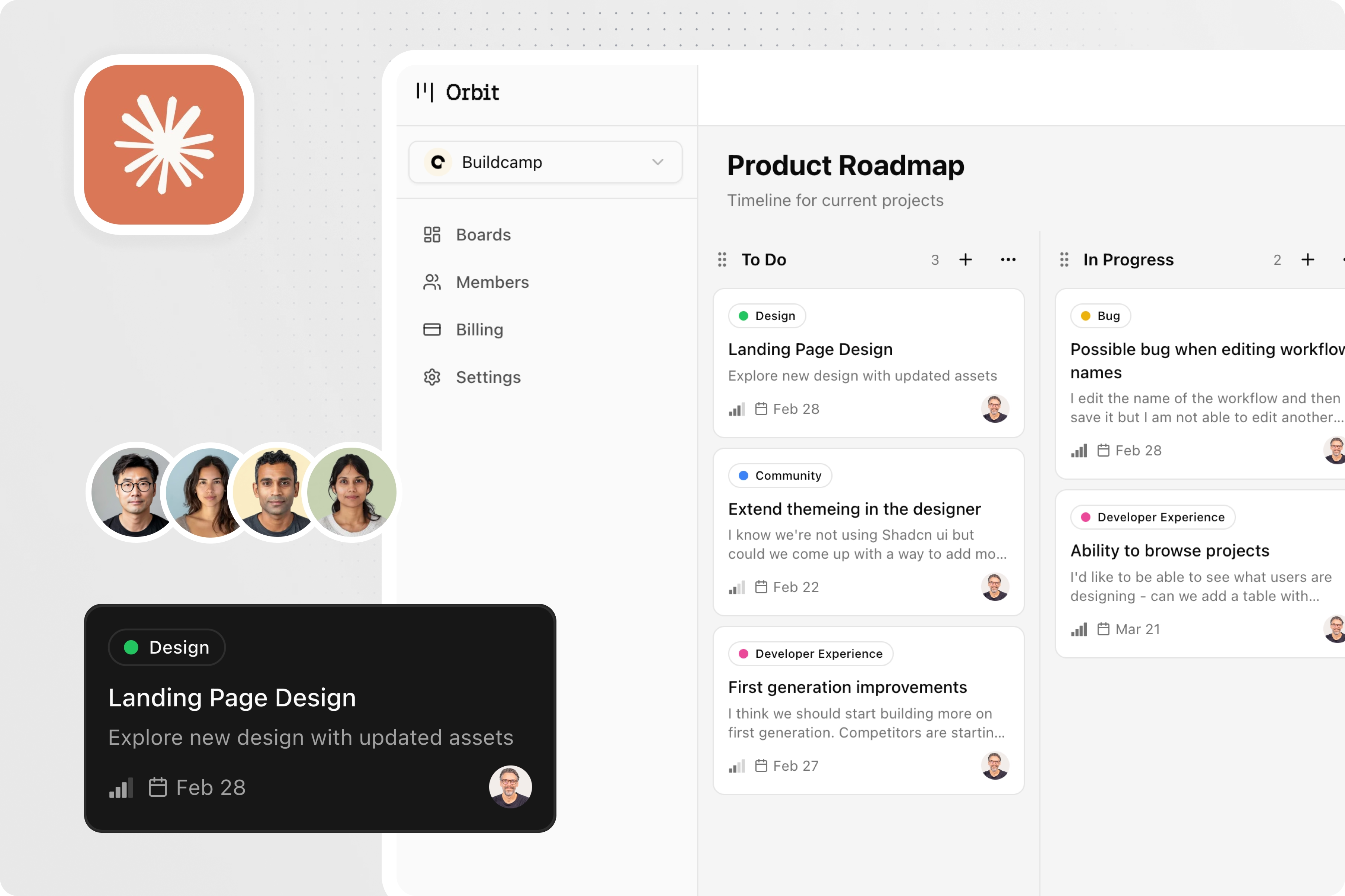
- Building a Kanban collaborative dashboard
- Using Claude Code in Cursor
- Integrating AI functionality with AI SDK
- Deploying to live customers
One lesson at a time.
Your course curriculum.
7 sections · 30 lessons · 5 hr 15 min total
01Section 14 lessons
- 1. A forenote
- 2. How to get help
- 3. Tools and services
- 4. Installing local development tools
02Section 26 lessons
- 1. Creating a Next.js app
- 2. Cursor overview
- 3. Claude Code installation
- 4. Claude Code config and settings
- 5. Version control with Git & GitHub
- 6. Installing Skills
03Section 33 lessons
- Product developer attributes
- 3. Creating the PRD and plan.md
- 3. Local Supabase and Milestone 1
04Section 46 lessons
- 1. Auth and onboarding
- 2. Dashboard design & Project data
- 3. Kanban board functionality
- 4. User testing & iteration
- 5. User and team settings
- 6. Configuring Resend for email
05Section 54 lessons
- 1. Stripe configuration - Part 1
- 2. Stripe configuration - Part 2
- 3. Testing payments
- 4. Stripe customer portal
06Section 62 lessons
- 1. AI-SDK summaries
- 2. Landing page design
07Section 75 lessons
- 1. Creating Supabase remote project
- 2. Deploying to Vercel
- 3. Live Stripe webhooks
- 4. Live user testing
- 5. Congratulations
The tools you’ll use.
Claude code
An agentic coding tool that reads your codebase, edits files, and runs commands

Next.js
A React framework for building server-side rendered and statically generated web applications with performance optimization.
Resend
A modern email API service that simplifies sending transactional emails with powerful delivery infrastructure and analytics.
Supabase
An open-source Firebase alternative providing a powerful Postgres database, authentication, and real-time subscriptions.
Stripe
A comprehensive payment infrastructure platform that enables businesses to accept payments and manage financial transactions securely online.


The project.
About this course.
You'll learn a step-by-step, in-depth approach to building a feature-rich project management app that look great on both web and mobile. Each section of the course focuses on a core component of app building—including design, authentication, UX, databases, payments, emails, and AI integrations. We'll pay special attention to UX design to ensure your app provides a smooth user experience. Along the way, you'll learn the ins-and-outs of working with Claude Code, along with best practises, context management and special commands. The core idea of this course is to teach you the full end to end process of building a full stack app, so that you can leverage what you learn, to build any app of your choice. It follow professional developer practises, including how to work with version control using Git and Github. No prior coding experience is needed—this course is designed for those of you who want to learn full stack mobile development using Claude Code.
Before you start.
What will I learn in this course?
Claude Code best practises. Authentication, data, storage and edge functions with Supabase. Setting up transactional emails with Resend. Setting up payments with Stripe. Building a Kanban collaborative dashboard. Using Claude Code in Cursor. Integrating AI functionality with AI SDK. Deploying to live customers
Is this course right for my experience?
This course is listed as beginner. Review the curriculum and tools above to see what the project covers.
How is the course taught?
The course is self-paced, with 30 lessons across 7 sections. Pause, replay, and build alongside the videos. Allow extra time to work through the project yourself.
Are the tools included in the course price?
The course price covers the lessons. Tools, API usage, hosting, or other services used in the project may have their own charges. Check the listed tools and their current plans before you start.
Where can I ask a question?
Use the Q&A section on the relevant lesson after signing in. Include what you tried and any error message so the conversation has the context it needs.

Your instructor.
Gregory John.
Founder of Buildcamp and instructor of project-based courses on web apps, mobile apps, and AI agents.
Meet your instructor ↗