

What you'll learn
- What Claude Cowork is (and was), and what changed when Anthropic merged it into Claude
- Where Cowork's features live now, including Cowork plugins, Cowork Skills, scheduled tasks and file access
- How to use Claude Cowork today, by running your first Cowork-style task in the normal Claude app
If you searched "what is Claude Cowork" and found the tab missing from your Claude app, you are not imagining it. Claude Cowork was Anthropic's place for handing Claude bigger jobs, like reports, spreadsheets and decks. On 16 September 2026, Anthropic started merging Cowork and chat into one Claude. Nothing Cowork could do has gone away. It simply lives in every conversation now. This guide shows you where everything moved and how to run your first Cowork-style task today.
What you need
- A paid Claude plan (Pro, Max or Ultra for individuals, or Team or Enterprise at work). Handing off and scheduling tasks is not part of the Free plan. See Claude's pricing page for current prices.
- The Claude app on the web, desktop or mobile. The desktop app is needed if you want Claude to work with folders on your computer.
- A small, real task you would like done.
- About 15 minutes.
What Claude Cowork was
Claude Cowork launched as a separate space inside the Claude app, aimed at people who wanted Claude to do work rather than just answer questions. You described an outcome, and Cowork worked through the steps on its own: reading your files, searching the web, using your connected apps and handing back finished documents.
It became generally available on the Claude desktop app for Mac and Windows in April 2026, and began rolling out to the web and mobile in July 2026, when sessions started running in the cloud so work could carry on with your laptop closed.
The trouble, Anthropic said, was choosing. People had to decide whether a job belonged in chat or in Cowork, and work started in one did not carry into the other.
What happened to Cowork
On 16 September 2026, Anthropic announced that "Claude Cowork and chat are merging into one Claude". In its own words, Claude "can now figure out what a task needs, so what Cowork and Design can do is available from any conversation". You can read the announcement in Claude Cowork and chat are now one Claude.
The rollout has been gradual:
- Pro, Max and Ultra: rolling out in stages since 16 September 2026, with nothing to turn on.
- Enterprise: generally available from 23 October 2026, where an admin turns it on.
- Team: generally available from 12 November 2026.
- Free: Anthropic says it will follow. When we checked a Free account in November 2026, it still showed separate Chat and Cowork options, and choosing Cowork opened an upgrade prompt.
To check where you are, look at your message box. If it still shows separate "Chat" and "Cowork" options, your account has not moved over yet, and on a paid plan you can keep using Cowork as before. Once you have the new experience you cannot switch back.
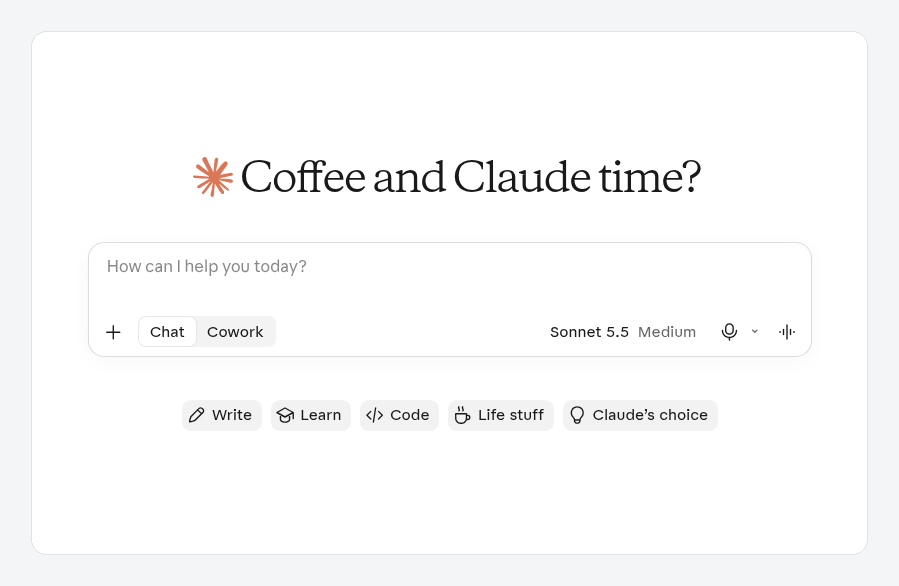
A Free account in November 2026. The Chat and Cowork options are still separate, and choosing Cowork opens an upgrade prompt, because handing off tasks is a paid plan feature.
Where Cowork's features live now
Anthropic's help centre has a full list in Claude Cowork and chat are one Claude. Here are the parts most people ask about.
| Cowork feature | Where it is now |
|---|---|
| Handing off a task | Any conversation. Just describe the outcome. |
| Your old Cowork tasks | In Recents, alongside your chats. They open as before. |
| Projects | Work in every conversation. |
| Connectors | Customize in the sidebar, Connectors tab (called Plugins on some newer accounts) |
| Cowork Skills | Customize, Skills tab. Pick one in a chat with the "+" button or by typing "/" |
| Cowork plugins | Customize, Plugins tab (or the Plugins page on newer accounts) |
| Scheduled tasks | Ask in any conversation, or open Scheduled in the sidebar |
| Global instructions | Instructions for Claude in Settings |
| Files Claude made | Alongside the conversation |
| Research | Choose Research from the "+" button |
A few words on the terms in that table:
- A connector is a secure link between Claude and an app you use, like Google Drive, Gmail, Microsoft 365 or Slack.
- A Skill is a saved set of instructions that teaches Claude how you like a particular job done. If you made Skills in Cowork, they came with you.
- A plugin is a ready-made bundle of Skills and connectors for a role, so you can set up a whole workflow in one go. Plugins are available on all paid plans. In late October 2026 Anthropic began moving Skills, connectors and plugins onto one Plugins page, so on newer accounts Customize is now called Plugins. The change is reaching accounts gradually: the Free account we checked in November 2026 still showed Customize, with separate Skills, Connectors and Plugins tabs. Both versions hold the same things.
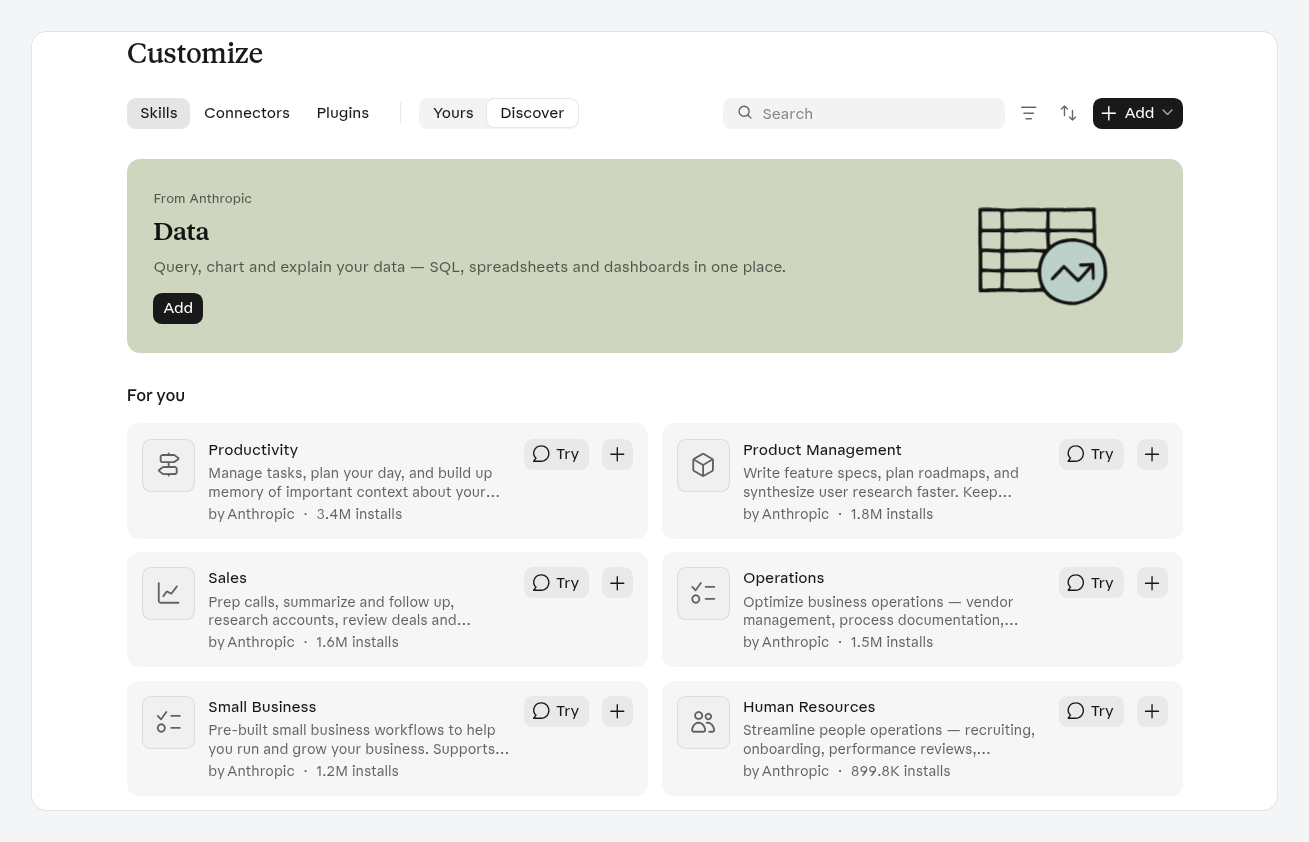
Customize, then Skills, on a Free account. The Skills, Connectors and Plugins tabs sit side by side here. On newer accounts they are combined on one Plugins page.
- A Project is a folder that keeps related files, instructions and context together.
How to use Claude Cowork today: your first task
You do not need to find a Cowork tab any more. Here is how to run a classic Cowork job in the new Claude.
Step 1: Choose a real, low-risk task
Pick something with a clear finish line that does not send messages, spend money or delete anything. For example: "Research the top project management tools for small teams and write up a comparison." That is one of Anthropic's own examples.
Step 2: Connect only what the task needs
If the task needs files from an app, open Customize in the sidebar (or Plugins on newer accounts), choose Connectors, find the app and sign in to approve it. If it only needs files you have on hand, attach them to your message instead.
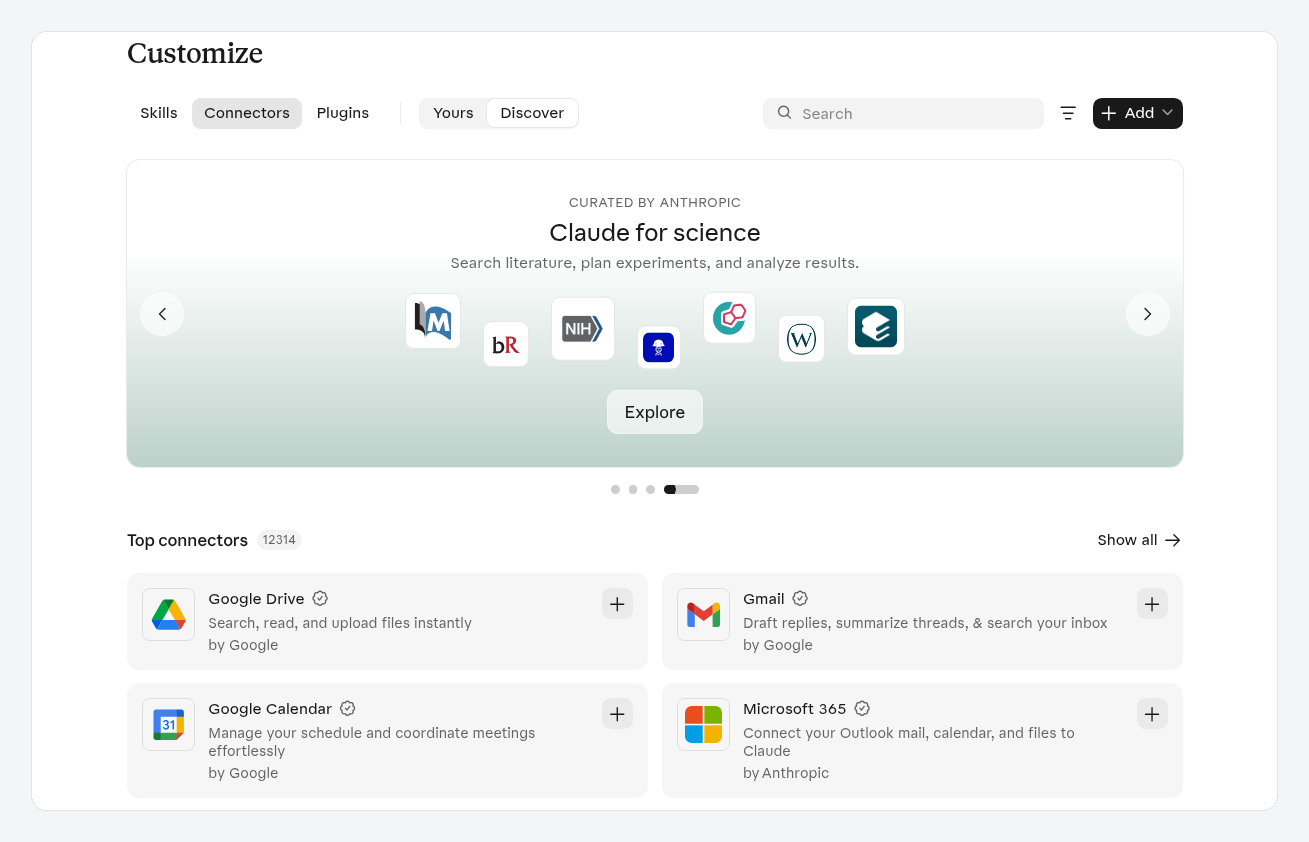
The Connectors tab under Customize. Select the + next to an app, then sign in to approve access.
Step 3: Brief Claude like a colleague
Include the outcome, the format and the inputs. You could copy this and change the details:
Research the five most popular project management tools for a team of six people. Compare price per person, ease of use and whether each has a mobile app. Give me the result as a spreadsheet with one row per tool, plus a short paragraph recommending one. Use British English. I'll check back later.
Step 4: Step away if you like
Bigger tasks keep running in the cloud, even if you close the page or your laptop. Come back later and the result will be waiting in the conversation. One exception: tasks that use files or apps on your own computer need the Claude desktop app open.
If you started the task at your desk, you can check on it from the Claude mobile app and answer any questions Claude has.
Step 5: Review and refine
Open the spreadsheet Claude made and check it. Ask for changes in plain words, such as "Add a column for free plans", then download it.
That is your first Cowork-style task, done without a Cowork tab.
Step 6 (optional): Make it repeat
If you want the same job done every week, say so: "Every Monday at 8am, update this comparison with any price changes." Claude proposes a name, schedule and instructions. Check them, then choose Schedule. Scheduled tasks run in the cloud, so they keep going with your computer off. See Schedule recurring tasks for details.
Common mistakes and staying safe
- Hunting for the Cowork tab. If you have the new experience, it is gone on purpose. Start from any conversation.
- Assuming Free can hand off tasks. It cannot at the time of writing. Check the plan table on the pricing page.
- Leaving the permission setting on Auto for risky work. The setting in the message box decides how much Claude checks with you. Auto keeps Claude working with automated safety checks. Manual asks before each action. Use Manual for anything that sends, pays or changes important files.
- Giving broad folder access. If Claude works with files on your computer, give it one dedicated working folder rather than your whole Documents folder, and keep backups of anything you cannot replace.
- Expecting everything to carry over. A few things work differently. Anthropic notes, for example, that incognito chats still open in the previous experience, and Dispatch is not offered to new users.
Anthropic's own safety advice is in Use Claude Cowork safely.
What's next
- New to Claude in general? How to use Claude walks through Projects, connectors and Skills from the start.
- Wondering how Cowork compares with Claude Code? Read Claude vs Claude Code.
Buildcamp's Claude for work course is coming soon. It covers everything Cowork used to do, plus Projects, Skills, connectors, Chrome and Excel, with no coding. Join the waitlist at buildcamp.io to hear when it opens.