

Code Smarter, Not Harder: Meet Cursor 2.0
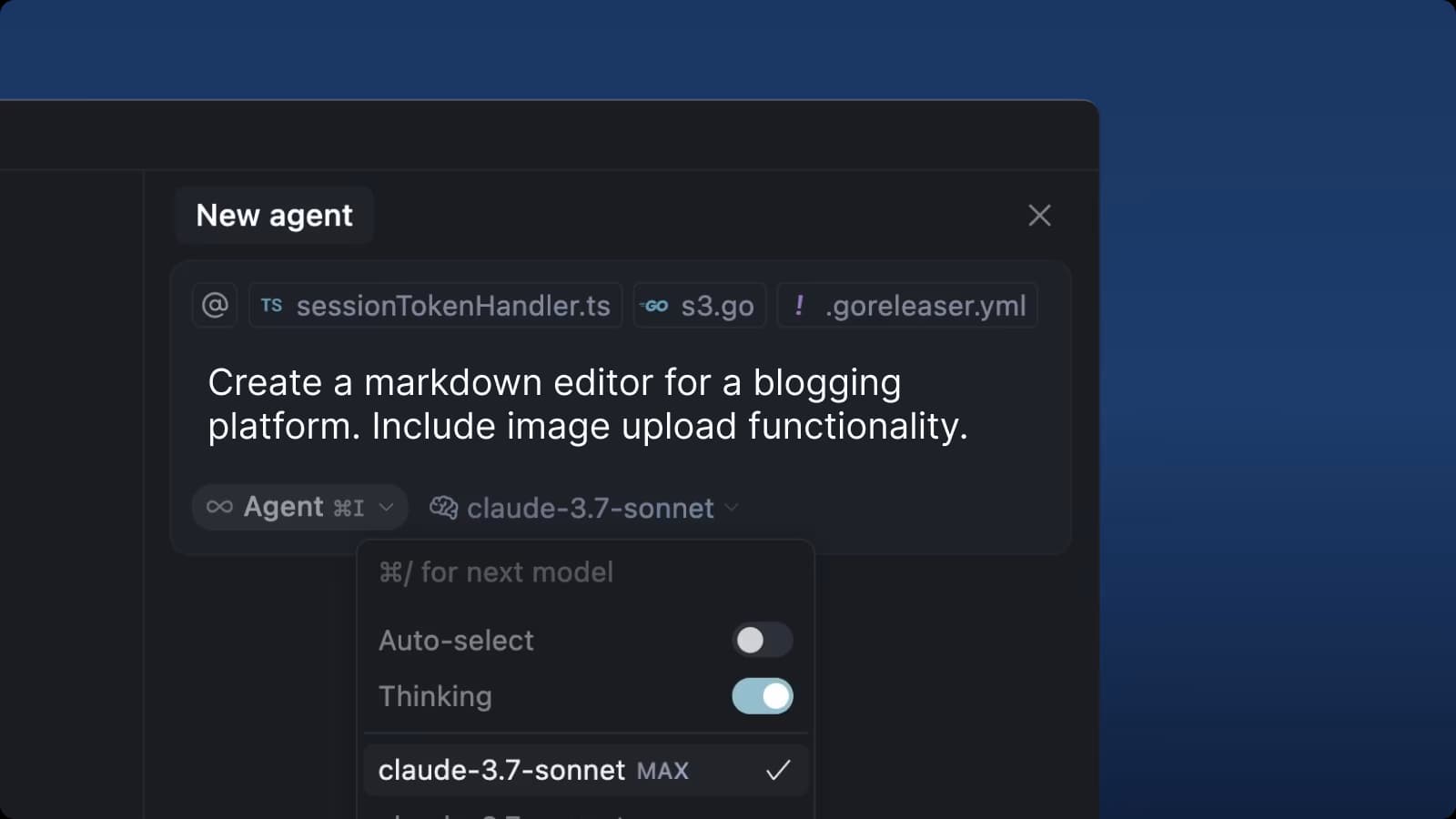
If you've started your coding journey, you know the feeling. You have a solid grasp of the concepts, you understand your IDE, but you still spend hours wrestling with boilerplate code, deciphering cryptic documentation, and hunting down elusive bugs. What if your development environment could do more than just highlight syntax? What if it could actively collaborate with you?
That’s the promise of Cursor 2.0, an IDE that’s been rebuilt from the ground up with AI at its core. It moves beyond simple autocompletion to become a true partner in the development process, understanding the entire context of your project to help you build faster and learn more effectively.
A Closer Look at Your New AI-Powered Toolkit
Cursor 2.0 isn’t just one feature; it’s a suite of powerful tools that work together. Here's a quick overview of the key components before we dive into each one:
| Feature | The Bottom Line |
|---|---|
| Agent Mode | Delegate entire coding tasks to an AI that plans and executes the work for you. |
| Composer Model | A custom AI model built for speed, providing low-latency responses that keep you in the flow state. [1] |
| Multi-Agent Interface | Run multiple AI agents in parallel to tackle complex problems faster and compare different solutions. [2] |
| AI Code Review & Bugbot | Get real-time feedback on your code and automate pull request reviews to catch bugs early. [3] |
| Improved Plan Mode | The Agent asks clarifying questions before coding to ensure it builds exactly what you want. [4] |
Now, let's break down what makes each of these features so powerful.
Agent Mode: Your AI Collaborator
The most significant evolution is Agent Mode. This isn't just a chatbot in a sidebar; it's a fundamental shift in how you interact with your tools. Instead of asking an AI for a code snippet, you delegate an entire task. You describe what you want to accomplish, and the Agent determines the how. For example, you could prompt it: "Scaffold a new React component called 'UserProfile' that accepts 'name' and 'avatarUrl' as props. Add basic styling with Tailwind CSS to display the avatar as a circle above the user's name." The Agent formulates a step-by-step plan, and once you approve it, writes clean, idiomatic code directly into your project. This is a game-changer for both learning and productivity.
The Composer Model: Speed and Intelligence
Underpinning many of these features is Composer, Cursor’s custom-built AI model. Designed specifically for the rapid back-and-forth of coding, it’s about four times faster than similarly intelligent models, with most interactions completing in under 30 seconds [1]. This low latency is crucial. It means the AI can keep up with your train of thought, making the collaboration feel natural and fluid rather than a clunky interruption. Because it was trained on real-world software challenges, Composer has a deep understanding of how to work within large, complex codebases.
Multi-Agent Interface: Your Personal AI Team
Why have one AI assistant when you can have a whole team? The Multi-Agent Interface allows you to run up to eight AI agents in parallel, each working in its own isolated environment [2]. This is perfect for complex problems. You could have one agent working on the frontend UI, another building the backend API, and a third writing tests—all simultaneously. You can even assign the same task to different models (like GPT-5 and Claude 4.5) to compare their approaches and pick the best solution. It’s like having a brainstorming session with a room full of expert programmers.
AI Code Review & Bugbot: Automated Quality Assurance
Writing code is only half the battle; ensuring its quality is just as important. Cursor’s AI Code Review provides real-time feedback on your changes directly within the editor. For team-based workflows, Bugbot takes this a step further by integrating with source control platforms like GitHub and GitLab [3]. It automatically analyzes new pull requests, acting as a tireless reviewer that catches logic errors, potential security issues, and deviations from best practices before they ever get merged into the main codebase. It’s a safety net that helps teams ship faster with greater confidence.
Improved Plan Mode: Think Before You Code
To ensure the Agent builds exactly what you envision, Cursor introduced an Improved Plan Mode. Before jumping into the code, the Agent now engages in a dialogue, asking clarifying questions through an interactive UI to make sure it fully understands the requirements [4]. This simple but powerful step dramatically reduces the chances of misinterpretation and rework. It forces a moment of clear thinking and planning, which is a cornerstone of good software development, and makes the final output far more accurate.
A Smarter Way to Build, A Faster Way to Learn
Cursor 2.0 creates a new kind of feedback loop. For those still learning, it’s like having a senior developer on call. When you encounter an error, the AI can explain the root cause and suggest a fix, turning a moment of frustration into a learning opportunity. Seeing how the Agent structures a feature or refactors a function provides a practical, real-world lesson that’s more effective than any tutorial.
For seasoned developers, Cursor 2.0 is a massive productivity multiplier. It automates the repetitive, time-consuming tasks that bog down a project, freeing you up to focus on architecture, user experience, and solving the hard problems. It’s a tool that amplifies your existing skills, rather than replacing them.
Getting Started
Making the switch is straightforward:
- Download the application from the Cursor website.
- Open any of your existing projects.
- Start giving instructions to the Agent with Cmd+K.
Cursor 2.0 represents a significant step toward a future where developers are collaborators and architects, not just typists. It keeps you in control but empowers you to build more, faster. If you're looking to level up your workflow, it’s time to give it a try.
References
[1] Cursor Blog: Composer: Building a fast frontier model with RL
[2] Cursor Blog: Introducing Cursor 2.0 and Composer
[3] Cursor: Bugbot